
/buddyread delete
Delete one of your buddy read announcements if you no longer want to find a reading buddy for that book. Use this command to remove your announcement from the global list.
 Usage
Usage
/buddyread delete <id>
<id>– The ID number of your buddy read announcement you want to delete (find this by viewing your active announcements with /buddyread announcements)
Please do not be afraid to use this command if you change your mind!
 Example
/buddyread delete 7
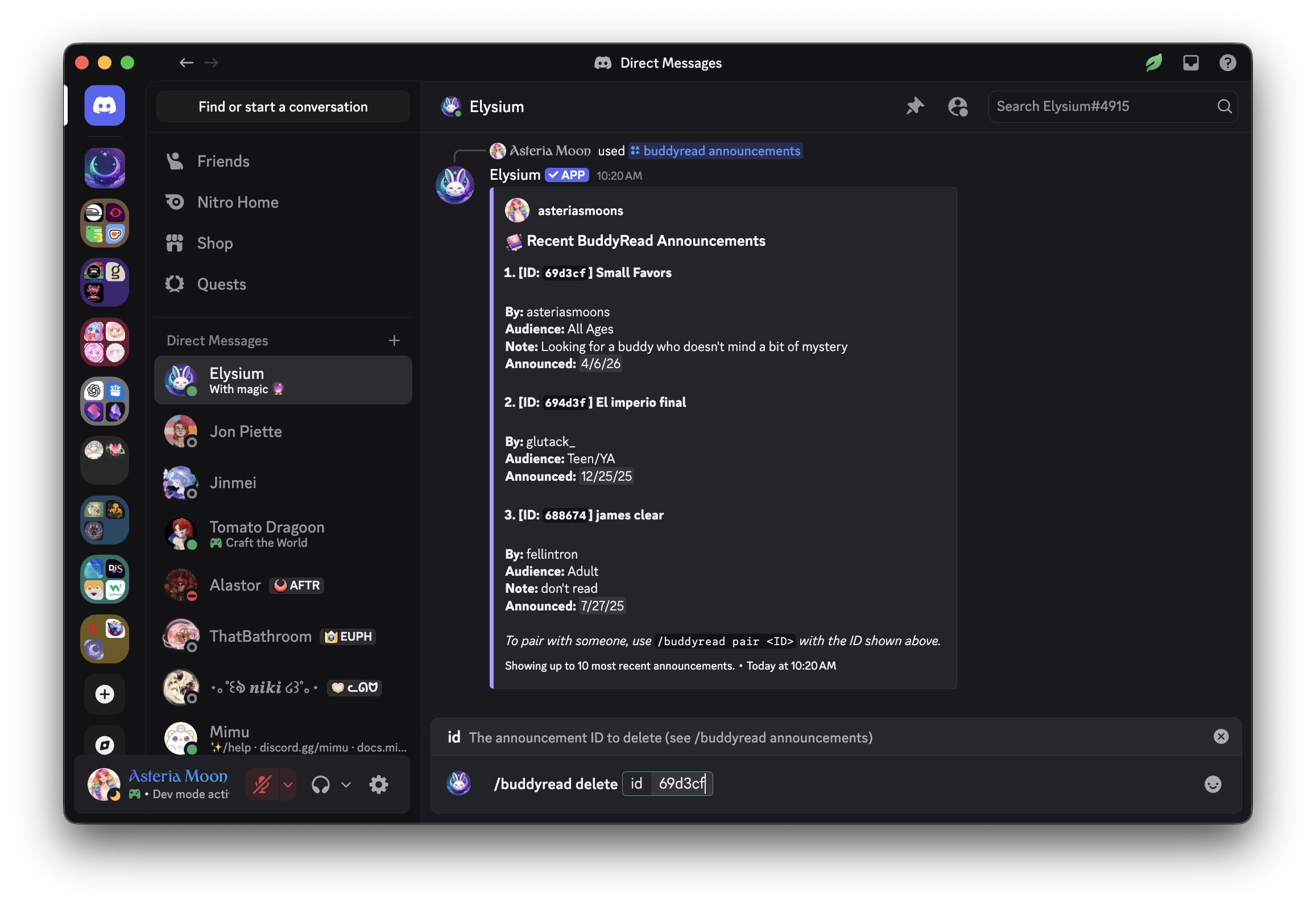
This will:
- Remove your buddy read announcement with the specified ID from the global announcement board
- Prevent new users from pairing with you for that book Send a confirmation message letting you know the announcement has been deleted
 Notes
Notes
- Only the user who created the announcement can delete it
- You can always view your current announcements and their IDs with
/buddyread announcements- Deleting an announcement does not affect any active buddy reading sessions already started
- Use this command if you change your mind, already found a buddy, or want to update your announcement details
 Related Commands
/buddyread announce – Post a new buddy read announcement
/buddyread announcements – View all buddy read announcements
/buddyread pair – Pair with a reading buddy from the announcement board
/buddyread leave – Leave an active buddy reading session