
/habit add
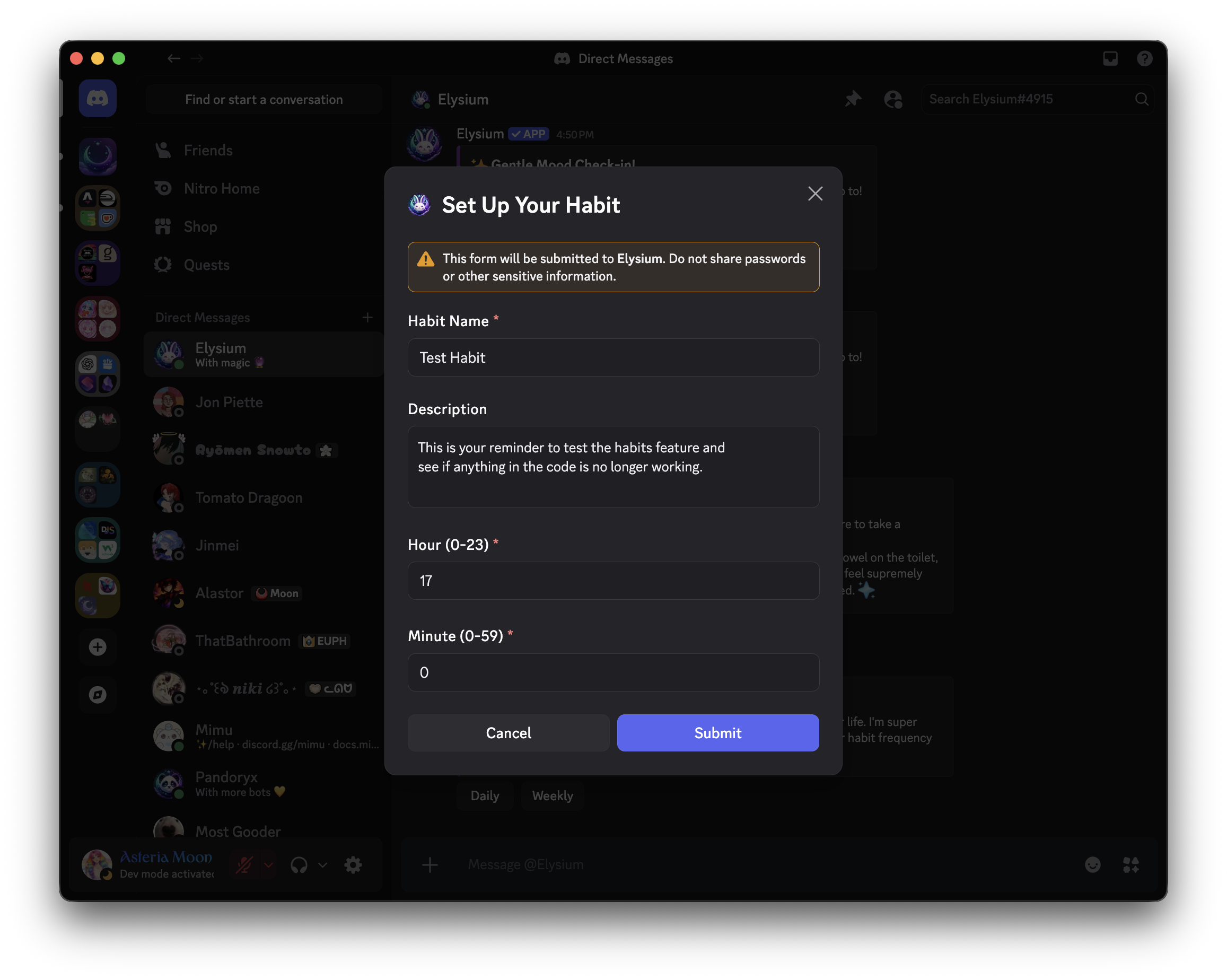
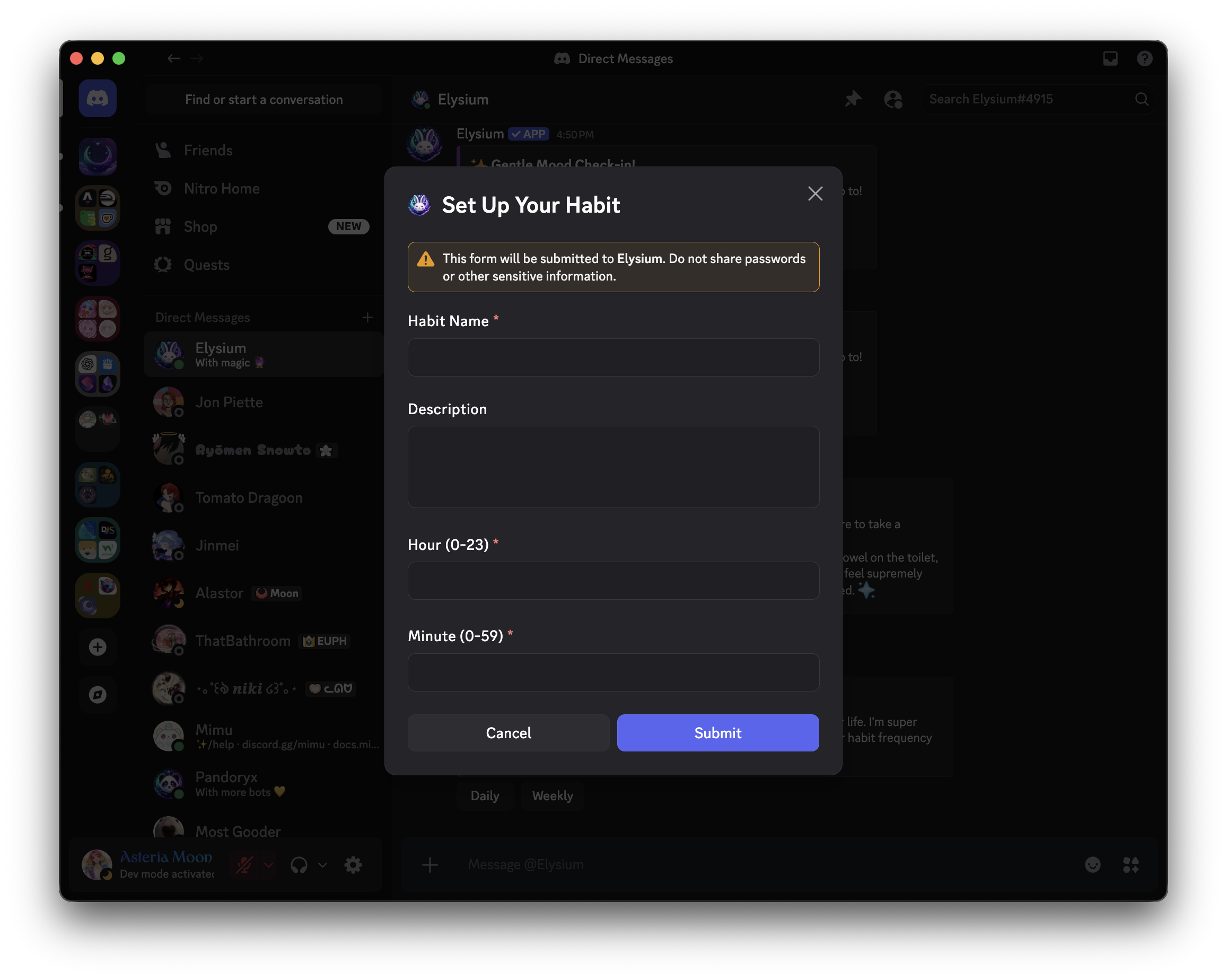
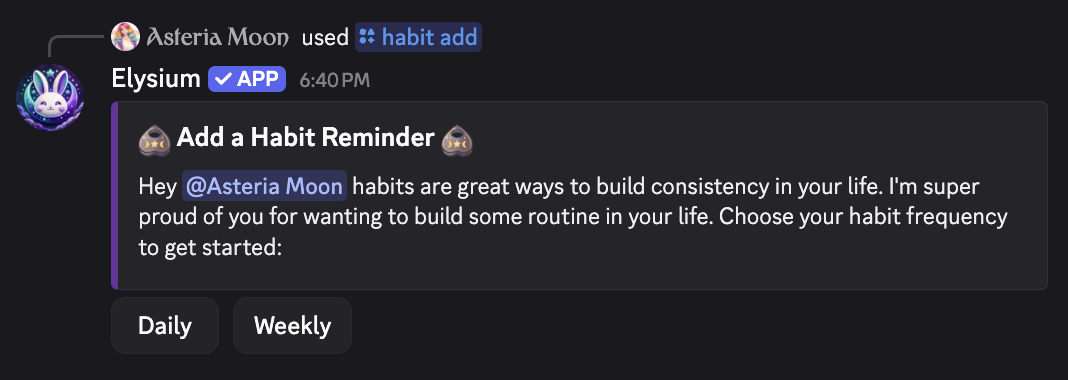
Get an embed with interactive buttons to add a new daily or weekly habit. Use this command to open a user-friendly interface: click the button to launch a modal where you can enter the details for your new habit, including name, frequency, and time.
 Usage
Usage
/habit add
No options or inputs required—just run the command to begin adding a new habit.
 Example
/habit add
This will:
- Send an embed to your current channel (or DM) with a button to add a habit
- When you click the button, a modal will appear prompting you for your habit’s name, type (daily or weekly), and scheduled time
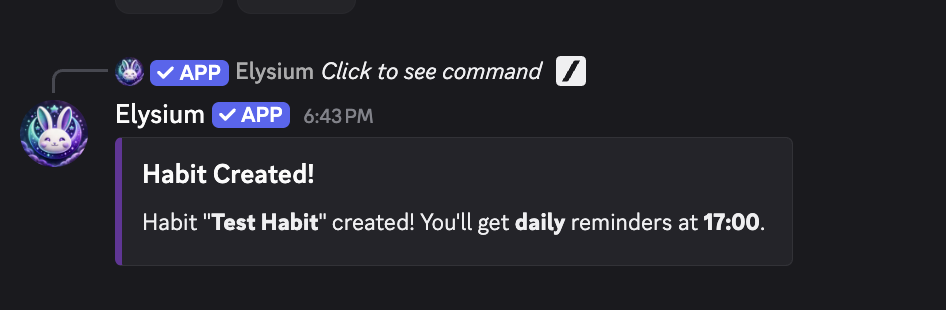
- Upon submission, your new habit will be created and tracked automatically by Elysium
 Notes
Notes
- You can add as many habits as you like; each will be tracked separately
- Habits can be scheduled for daily or weekly frequency
- All setup is done via buttons and modals—no complex command syntax
- Habits can be edited, rescheduled, or removed later with other commands
- This feature works in both server channels and DMs
 Related Commands
/habit list – See a list of your created habits
/habit remove – Delete a habit you no longer want
/habit reschedule – Change a habit’s scheduled time
/habit stats – View statistics for a specific habit
/habit points – Check your habit XP or points