
/habit reschedule
Reschedule a habit for a different time. Use this command to update the scheduled hour and minute for any of your habits—perfect if your routine changes or you want to receive reminders at a new time.
 Usage
Usage
/habit reschedule <name> <hour> <minute>
<name>– The exact name of the habit you want to reschedule (as shown in /habit list)<hour>– The new hour you want the habit reminder to trigger (24-hour format, e.g., 18 for 6pm)<minute>– The new minute you want the habit reminder to trigger (e.g., 30 for after the hour)
If you reschedule your habit make sure to use 24 hour format to get the reminder at the appropriate timing.
 Example
/habit reschedule Hydrate 10 30
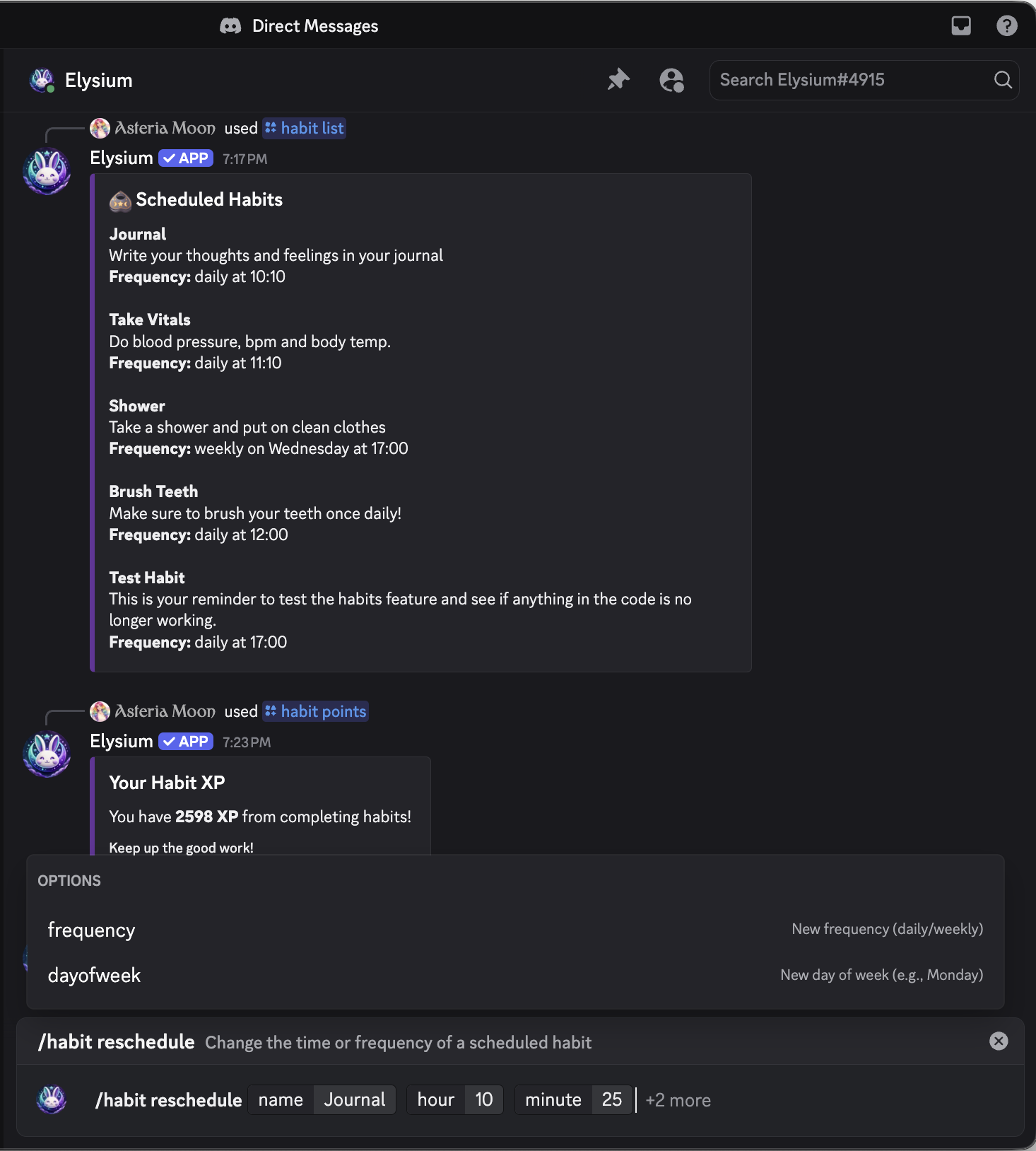
This will:
- Update the “Hydrate” habit to remind you daily (or weekly) at 10
- Automatically adjust the habit’s schedule to use the new time for future reminders and tracking
- Confirm the new schedule with an embed or message
 Notes
Notes
- Only habits you’ve created can be rescheduled
- Times use 24-hour clock (e.g., 0 is midnight, 13 is 1pm)
- Use this command whenever your schedule changes or you want to experiment with new habit times
- Rescheduling does not reset your XP or habit stats—only the reminder time is updated
 Related Commands
/habit list – View your current habits
/habit add – Add a new habit
/habit remove – Delete a habit
/habit stats – View statistics for a specific habit
/habit points – See your total habit XP