
/habit stats
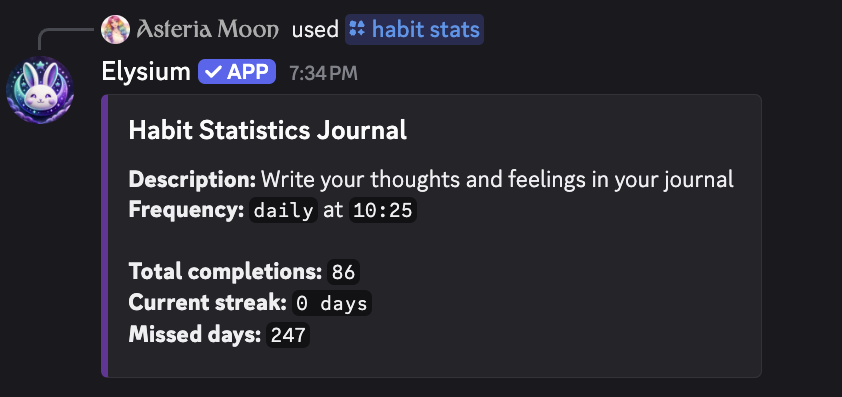
View detailed statistics for a specific habit. Use this command to get an overview of a habit’s name, description, frequency, schedule, as well as your completion data—including total completions, current streak, and missed days.
 Usage
Usage
/habit stats <name>
<name>– The exact name of the habit you want to view stats for (as shown in /habit list)
This is a great way to view your progress on your habits.
 Example
/habit stats Hydrate

This will display an embed showing all the following information for the “Hydrate” habit:
- Name
- Description
- Frequency (daily or weekly)
- Scheduled time
- Total completions
- Current streak (how many times in a row you’ve completed it on schedule)
- Missed days (days you did not complete the habit on time)
 Notes
Notes
- Only habits you’ve created can be viewed with this command
- Use this to track your consistency, spot missed days, and stay motivated
- Streaks reset if a scheduled day is missed
 Related Commands
/habit list – See all your current habits
/habit add – Add a new habit to track
/habit remove – Delete a habit
/habit reschedule – Change a habit’s scheduled time
/habit points – Check your total habit XP